Conjure Image Generator
[COMPLETE]An AI image generation app powered by Google's Gemini 3 Pro Image Preview, featuring cloud sync via magic links, subscription billing, and advanced creative controls.
The Origin Story
It started with a simple problem: image generation is getting too good. While my family is pretty tech-savvy, they definitely aren't as up-to-date with AI as I am, so I wanted to make sure they understood how easily they can be fooled by content these days. The problem was that you needed an API key to use Gemini 3 Pro Image Preview (aka Nano Banana Pro) in AI Studio, and it personally took me 30 minutes to set one up. I didn't want to have them go through the same process, so I decided to build this app, which has the exact features I would want in my ideal image generation app.
From MVP to Full App
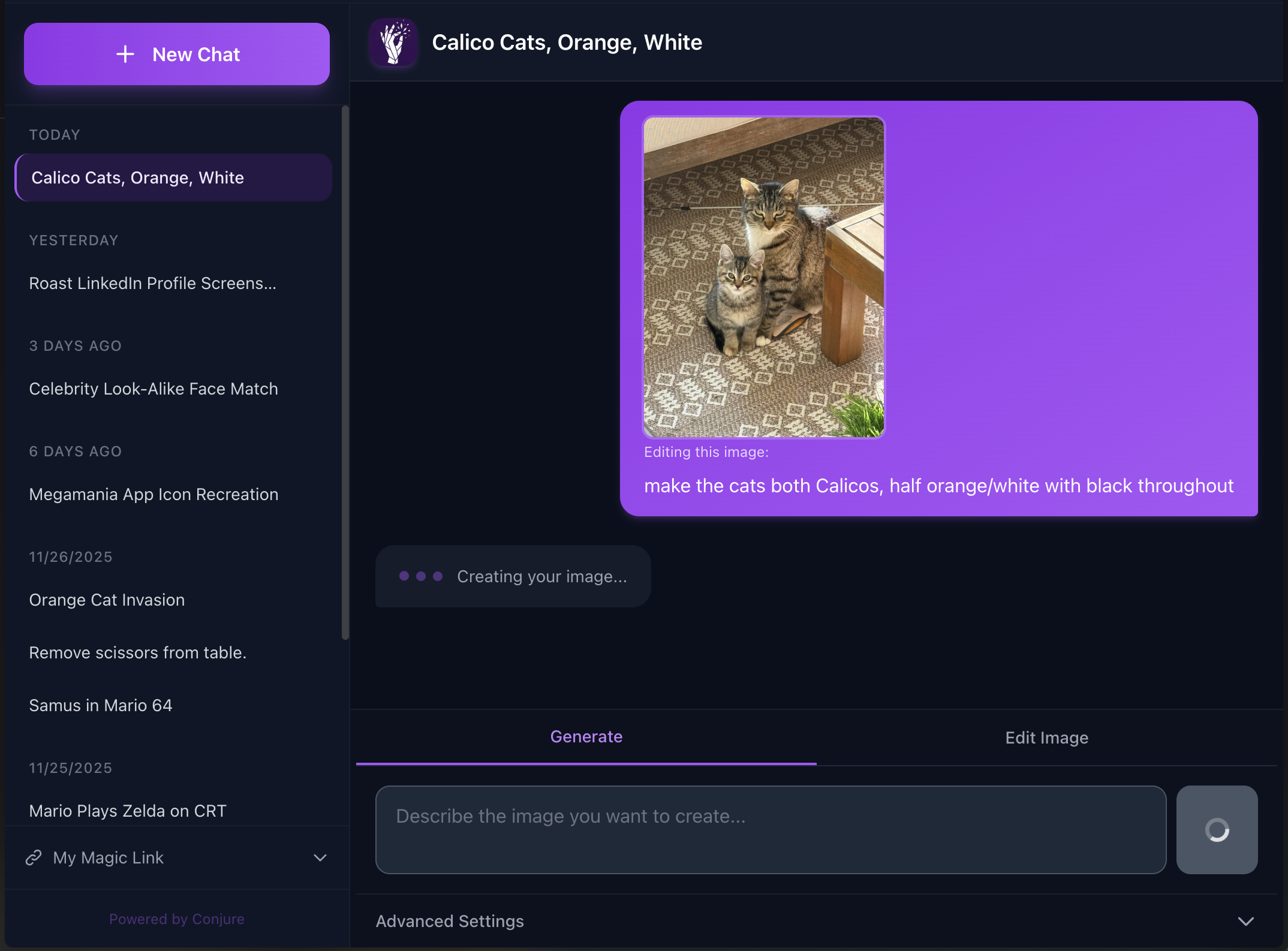
The first version was minimal: a password gate and a simple prompt input. Image generation worked, but the UX was buggy and refreshing the page meant you lost your image.
Early improvements included:
- Different aspect ratios for phone wallpapers vs. desktop backgrounds
- Quality settings (faster generation vs. higher resolution)
- Style presets to guide the AI toward specific aesthetics
- The ability to save and share generations
- Access from multiple devices without losing their history
Cloud Sync with Magic Links
The device sync problem was interesting. I didn't want to force my family to remember yet another password or create accounts. So I implemented magic link authentication – request a link, bookmark it and keep it safe, then use it to login on any device.
Behind the scenes, this uses Prisma with PostgreSQL on Railway to persist conversations and generated images.

Technical Highlights
- Dual authentication modes: Simple password for casual use, magic links for cloud sync
- Smart retry logic: The Gemini API can be flaky—Conjure handles timeouts gracefully
- Mobile-first design: Touch-friendly controls, proper safe areas, and share sheet integration for saving images
- Conversation history: Pick up where you left off, reference previous generations
- Progress feedback: Show a progress bar while the image is generating with failure notifications


Meta: The Workflow Diagram
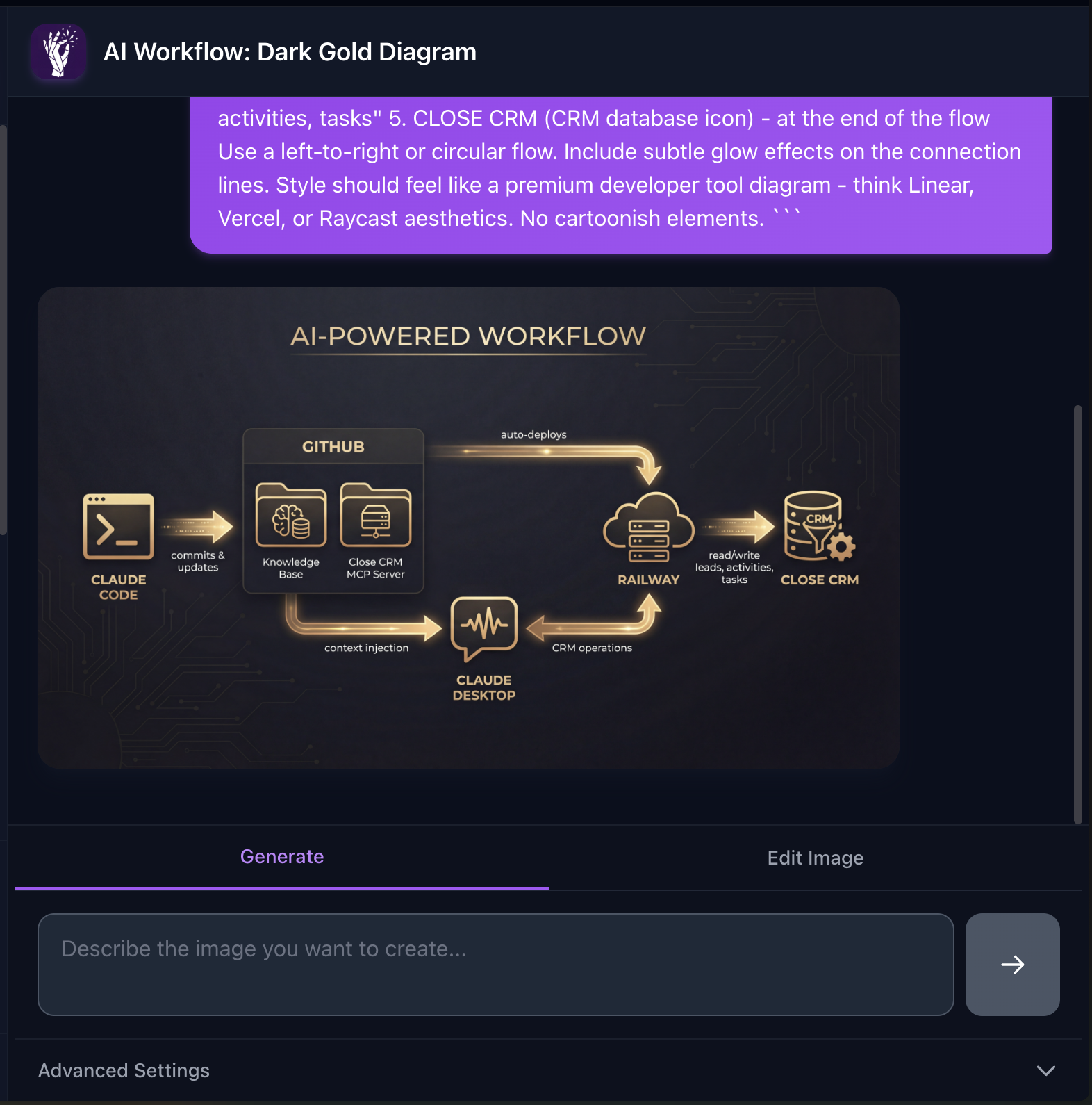
I actually used Conjure itself to create the workflow diagram for another project on this site. Here's a screenshot of that generation – a tool building assets for its own portfolio page.
Going Public with Subscriptions
What started as a family tool is now open to everyone. I integrated Polar.sh for subscription management, which handles all the payment complexity while letting me focus on the product.
The subscription model:
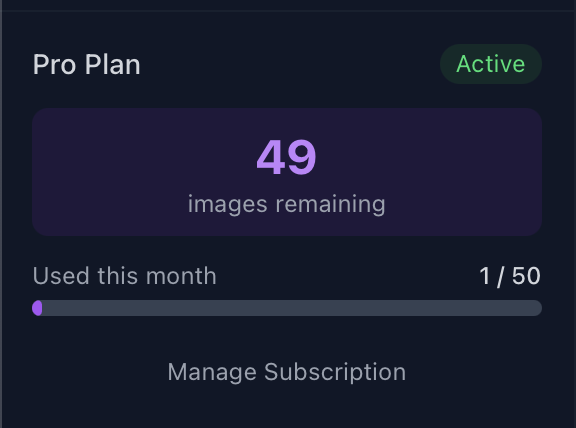
- Free Tier: 5 free images for everyone, no account required
- Pro Plan: $9.99/month (or $99.90/year for 17% savings) for 50 images per month
The sidebar shows your usage at a glance – how many images you have left, trial countdown, and subscription status.

When you hit your limit or your trial expires, a paywall appears with plan options. Polar handles the checkout flow, and webhooks automatically activate your subscription.

What's Next
Conjure is live and accepting subscriptions! The core experience is solid, but I have a few ideas brewing:
- Prompt templates: Pre-built prompts for common use cases (phone wallpapers, profile pictures, etc.)
- Generation history search: Find past creations by prompt keywords
- Batch generation: Queue up multiple prompts and let them run
If you want to try it out, head to https://conjure-image.com and start your free trial.